Android
Keep it behind an icon
InOut Games ships no app or APK. If the partner operator offers an Android install, it appears after sign-in, and Tower Dash is then found inside that app by name.
Get it on AndroidTower Dash by InOut Games
A crane swings a crate over your tower. One tap drops it. Land it square and the multiplier steps up, and Cash Out is available after each block that lands.
Tower Dash is an instant tower-building game. It has no reels, paylines or bonus spins. A round is a series of single taps, one per crate.
Pick the route that matches your device. All three open the same account and the same balance.
Android
InOut Games ships no app or APK. If the partner operator offers an Android install, it appears after sign-in, and Tower Dash is then found inside that app by name.
Get it on AndroidiPhone and iPad
Nothing to sideload and no file to hunt for. Portrait keeps the whole stack on screen with the drop control under your thumb.
Open on iPhoneNo install
Mobile browser play ships with the provider build, so a signed-in tab runs a full tower.
Play in the browserAll three routes lead to one account.
The figures the provider shows in the game card and the demo client.
A short round, not reels or paylines
provider client build
at 50x and 100x the bet
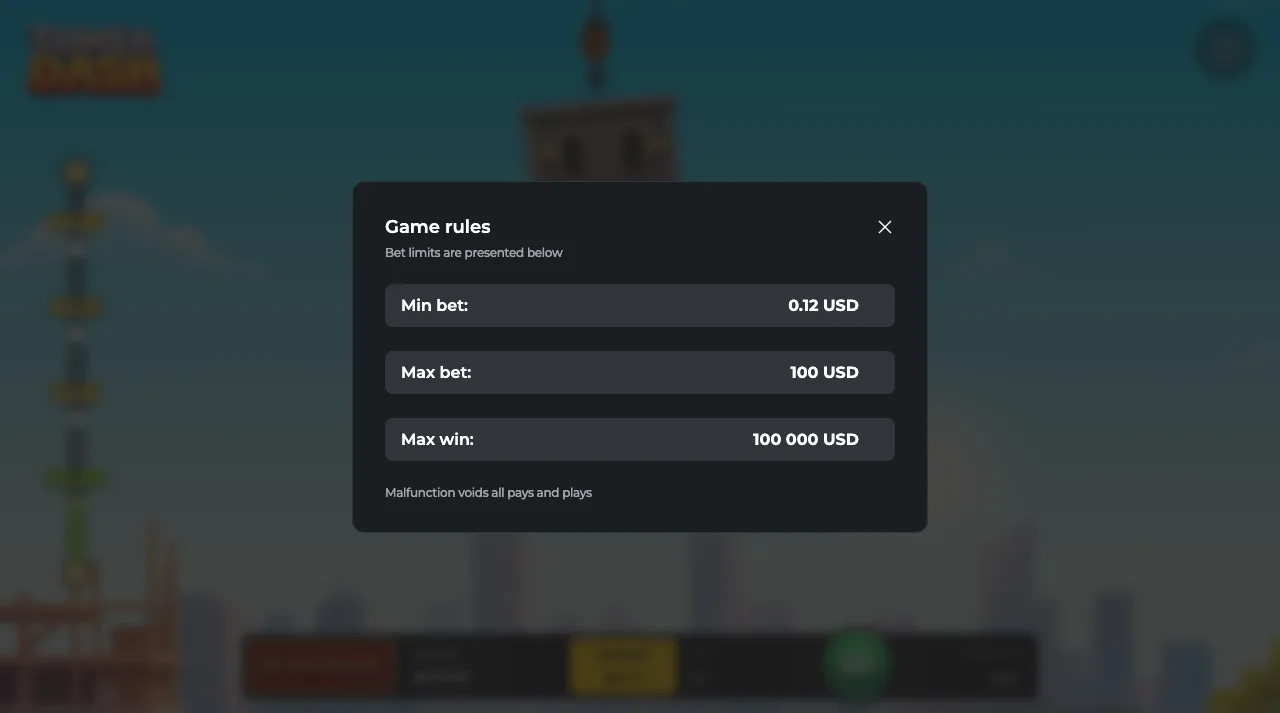
Max win 100 000 USD there; an operator may set other limits
This is the InOut Games tower builder. It shares a name with a mobile arcade title from BoomBit Games and turns up in search next to Tower Rush by Galaxsys. InOut Games also released an older game called Tower in 2021, and its 95% RTP and EUR 20 000 cap are often quoted for Tower Dash by mistake.
Tower Dash runs on four mechanics, and all of them appear in the first round.
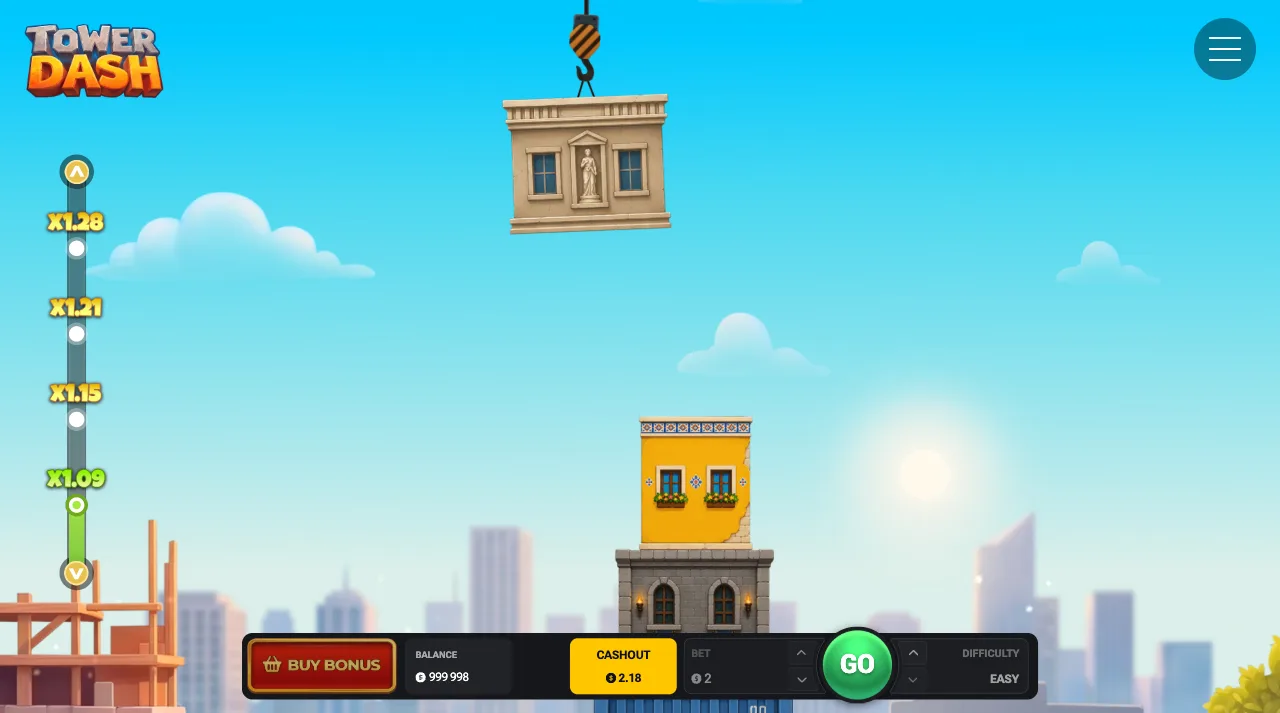
Every crate you land squarely pushes the multiplier one step up. The ladder is the payout structure. In the demo client an Easy round opened at x1.01, x1.04 and x1.09, and the steps widened from there.
The multiplier moves when the crate lands.
A crate hangs from the crane above your stack and swings from one side to the other. One tap releases it, and on a desktop the Space key does the same. The round repeats that drop until you cash out or a block falls.
One tap per block.
The cash out button is available after every block that lands. It is manual, so you press it yourself to bank the current multiplier.
You choose the difficulty before the round starts. It sets the maximum height (40 blocks on Easy, 38 on Medium, 35 on Hard), the chance of placing a block and the potential payout.
The provider hosts a free Tower Dash demo. It loads in the frame below with a fun balance of 1 000 000 and asks for no account.
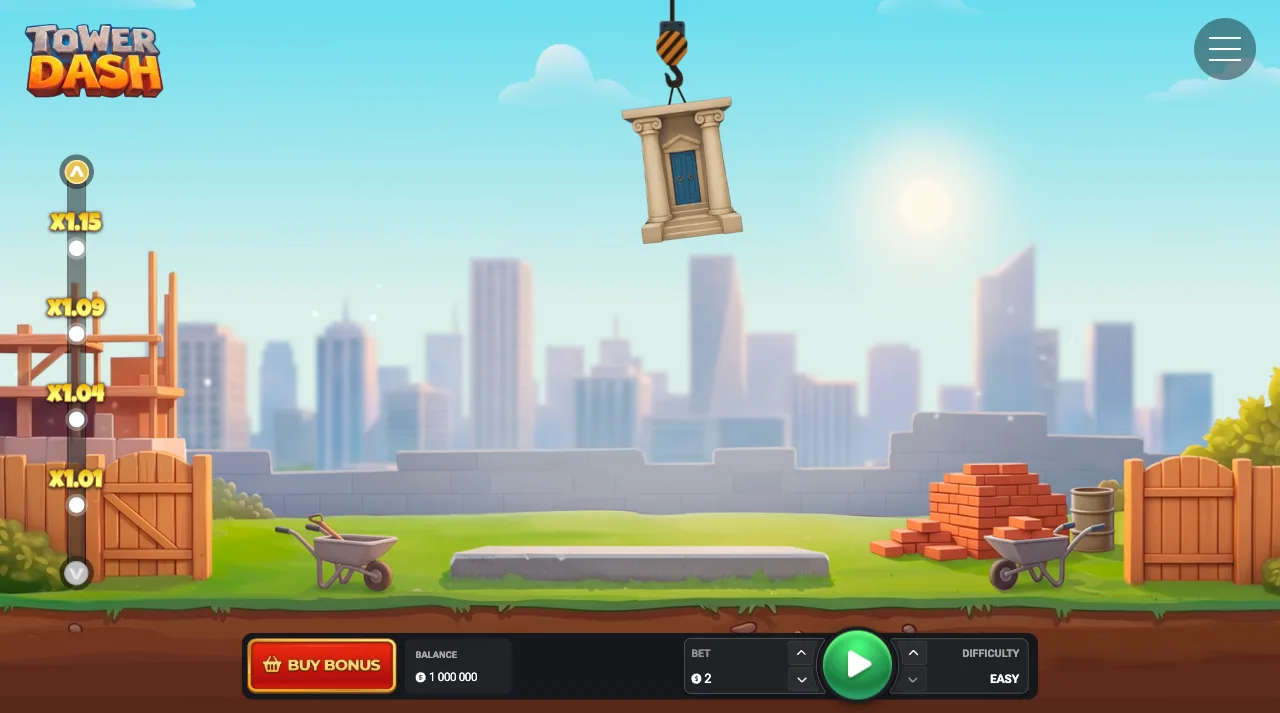
Provider-hosted demo. Fun credits only, no sign-in, nothing is paid out.

Five steps from a cold start to a banked multiplier.
Choose the amount you want riding on this tower before anything moves. It stays fixed for the whole round.
Choose Easy, Medium or Hard before the round. Easy allows the tallest tower, up to 40 blocks.
The crate travels above the stack and swings side to side. Let it make a pass or two before you touch the screen.
One tap releases the crate. A square landing steps the multiplier up. A block that falls ends the round.
Cash Out is available after each block that lands. Press it to take the multiplier on screen.
Decide your exit height before the crane starts moving, because Cash Out is manual.
The whole gameOne tap drops a crate, and one tap on Cash Out banks the tower.
Download the appOpens in a new tabOne account, five ways in.
| Device | How you get in | Worth knowing |
|---|---|---|
| Android phone | Sign in, then take the install | The install step appears once your account is live |
| Android tablet | Same install, wider canvas | The crane arc is easier to read on a bigger screen |
| iPhone | Sign in and play in Safari | Mobile browser play is supported by the provider build |
| iPad | Open in the browser and sign in | Portrait fits a tall tower without scrolling |
| Windows and macOS | Play in your browser | A mouse click or the Space key drops the block |
The provider client runs in a mobile browser. On a desktop the Space key drops the block.
Four steps. The partner, not InOut Games, supplies the app, because the provider ships no native app or APK.
Any button on this page opens a new tab with the Tower Dash offer attached. This page stays where you left it.
The install step appears once you have an account. Finish that part first and the rest is quick.
Your device gets the install step that fits it. Approve, and the icon lands on your home screen.
Open the icon, search Tower Dash by name, and set a deposit limit before your first stake goes in.
The install runs on the partner's side. This page only links to it.
Playing for real
The partner hosts the game, so the account comes first and the tower comes second.
Registration takes a couple of minutes. The same login covers the app and the browser build.
Add a balance, then set a deposit limit in the same session. Set it before the first round.
Search Tower Dash by name. Casinos usually list it with instant games.
Pick your amount, choose Easy, Medium or Hard, and the crane starts its first pass.
Questions that come up before a first round.
One tap to start
Set a stake, choose a difficulty and cash out at the height you planned.
Keep the first tower cheap and slow. Small stake, difficulty on Easy, and let the crane make two or three passes before you touch the screen. The swing has a rhythm, and once you have it you stop releasing at the far end of the arc.
Land the first crate and the multiplier steps. In the demo client an Easy round read x1.15 after four blocks, and from there the cash out button is worth watching.
A common first-session mistake is a good run with no exit. Name a block count before the crane moves and cash out when you reach it. Which block you name matters less than keeping to it.
The crate hangs above your stack and travels from one side to the other. Release it while it is over the middle of the stack.
Tap early and the crate lands short of the block below. Tap late and it overhangs the edge. Land it square and the ladder steps up.
Only two things end a tower: a block that falls, or your own press of Cash Out. The free demo above is the place to practise the release, and when the timing holds you can open Tower Dash at a small stake.
You choose the difficulty before the round, and the next tower can use a different one. The setting decides the maximum height, the chance of placing a block and the potential payout.
| Setting | Maximum tower height | Also worth knowing |
|---|---|---|
| Easy | 40 blocks | The setting the observed demo ladder on this page comes from |
| Medium | 38 blocks | The mode both bonus buys run in |
| Hard | 35 blocks | The lowest of the three height limits |
The provider publishes no figures for the chance of placing a block or for the potential payout at any setting, so this page gives the heights and stops there. The provider sets the return to player at 96% in the client build. Pick one, start a tower on Android, and give it ten rounds before you judge it.
Set a deposit limit before you set a stake. It takes about twenty seconds inside the account you just made.
Then run three or four rounds at a small stake, on Easy, with a fixed exit height. The demo client accepts bets from 0.12 USD, and an operator may set a different minimum. These rounds teach where the crane lets go and how quickly the ladder moves through the first blocks.
Once the timing feels automatic, raise one thing at a time. Move to Medium and keep the stake flat, or hold Easy and lift the stake. If you change both in one evening, you cannot tell which change made the difference.
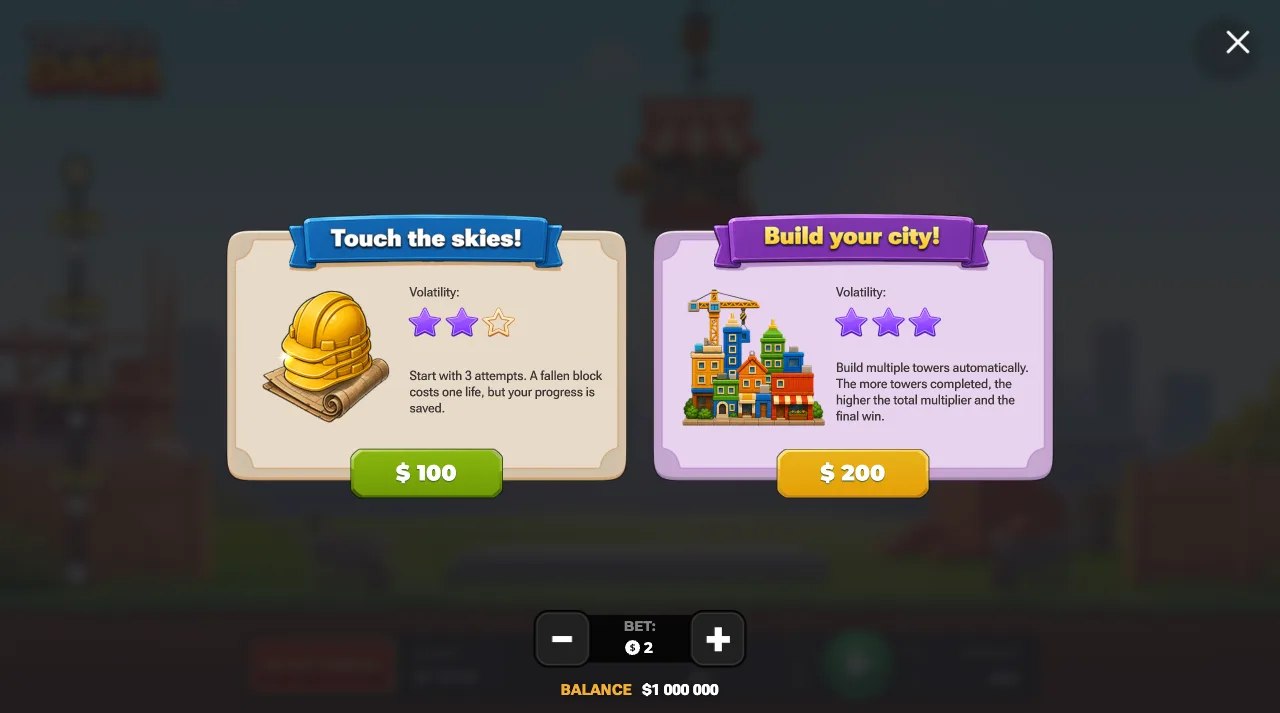
Two buys sit next to the ordinary round. Both build automatically in Medium mode, so you do not tap.
Touch the skies! costs 50x the bet and gives three attempts. A fallen block uses one attempt and building continues from the current floor. The payout is the multiplier of the last completed floor, and the client rates its volatility two stars out of three.
Build your city! costs 100x the bet and builds several towers. Each completed tower locks in its multiplier, and the payout is the sum. The client rates it three stars out of three, so it belongs in a session with a bankroll set aside for it.
Work out the price from the stake you play. In the demo client, at a bet of 2, the buy menu showed 100 and 200. Both can be tried for fun credits in the demo before you get the Tower Dash app.
Checked